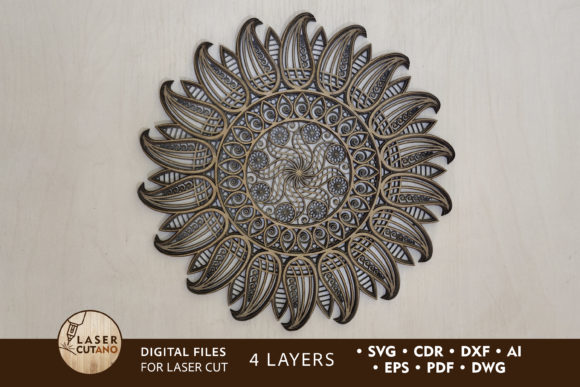
Laser Cut Template - the Sun Multilayer Design
Imagine capturing the radiant energy of the sun and transforming it into a stunning, layered piece of art for your next project. The Laser Cut Template - the Sun offers a creative and dynamic multilayer layout, specifically designed to bring a bold, celestial motif to life through precision cutting. This digital asset is a versatile starting point for creators looking to add a touch of warmth and visual depth to their work.
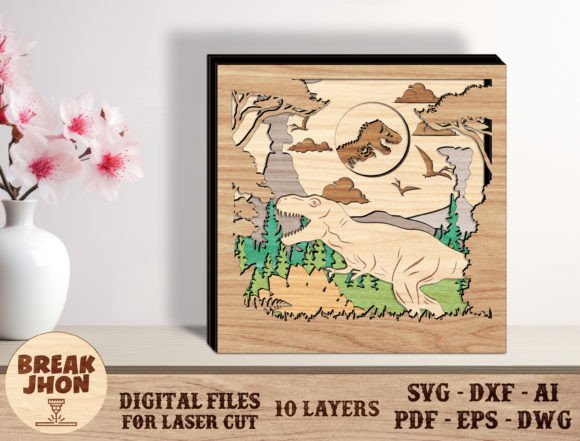
This template is not a font in the traditional typographic sense, but rather a sophisticated design file that functions as a powerful graphic asset. It's a multilayer digital layout, meticulously prepared for laser cutters, CNC routers, and other cutting machines. The design features four distinct layers that, when assembled, create a dimensional 12x12 inch finished piece. This structure allows for incredible texture and shadow play, making it far more impactful than a flat graphic.
Creative Applications and Project Ideas
The true value of this template lies in its flexibility. It’s a premium design asset that can elevate a wide range of creative endeavors. Consider using it for:
- Brand Identity & Logo Design: A sun motif is timeless, symbolizing energy, growth, and positivity. This layered template can be adapted into a unique logo or brand mark, especially for businesses in wellness, energy, or creative industries.
- Home Decor & Wall Art: Cut from plywood or MDF to create a stunning statement piece for a living room, office, or studio. The layered effect adds a modern, tactile quality that flat prints can't match.
- Event Decor & Invitations: Use it to craft intricate centerpieces, table numbers, or even laser-cut elements for wedding invitations and party decorations, adding a bespoke, handcrafted feel.
- Packaging & Product Presentation: Incorporate the design into product packaging or as a decorative element on boxes and bags to create a memorable unboxing experience.
- Digital & Editorial Design: The vector files can be used in digital projects, such as social media graphics, poster designs, or editorial layouts, where the layered effect can be simulated for visual interest.
Tips for Selecting and Using the Template
To ensure the best results, consider the material and scale. The recommended material thickness for plywood or MDF is 3-6 mm. While you can increase the design's size, be mindful that reducing it too much may compromise the integrity of thinner elements. Always test a small section first if you're using a new material like acrylic or cardboard.
When integrating this design into a broader project, think about cohesion. If it's part of a brand identity, ensure its style complements your chosen typefaces and color palette. For a polished, professional presentation, pairing this bold graphic with clean, modern typography—like a simple sans serif font for body text—can create a beautiful balance. The goal is to let the intricate design shine without overwhelming the viewer.
Upon purchase, you will receive a downloadable .zip file containing the template in multiple formats: .AI, .SVG, .DXF, .DWG, .CDR, .EPS, and .PDF. This ensures compatibility with most design software and cutting machines. Remember to unzip the folder before accessing the files. This comprehensive file package makes it a valuable addition to any designer's toolkit of creative assets.
Choosing a well-crafted design template like this one saves time and provides a professional foundation. It allows you to focus on the creative execution—selecting materials, colors, and finishes—rather than starting from scratch. The result is a more polished, consistent, and visually compelling final product, whether it's a physical object or a digital design.